电仓系统Shopify订单同步与履约
-
电仓系统 Shopify 订单同步与履约配置教程
本文介绍如何在 Shopify 卖家后台创建自定义应用,并将 Shopify 店铺授权绑定到电仓系统,实现 Shopify 订单同步、客户信息同步、发货履约与物流信息回传。适用于使用电仓系统管理海外仓、一件代发、订单履约、库存与物流发货的 Shopify 卖家。
一、适用场景
如果你的 Shopify 店铺需要对接电仓系统,可以按照本文完成以下配置:
- 将 Shopify 店铺订单同步到电仓系统
- 在电仓系统中处理 Shopify 订单履约
- 获取 Shopify 客户、订单、发货、物流与仓库位置信息
- 将履约结果和物流信息回传到 Shopify
- 通过电仓系统统一管理 Shopify 店铺的发货流程
二、配置前准备
开始配置前,请确认你已经具备以下信息和权限:
- 可以登录 Shopify 卖家后台
- 可以进入 Shopify Dev Dashboard 创建应用
- 已开通并可登录电仓系统 Web 端
- 已确认需要绑定的电仓系统网点
- 已准备好 Shopify 店铺域名
三、在 Shopify 后台创建应用
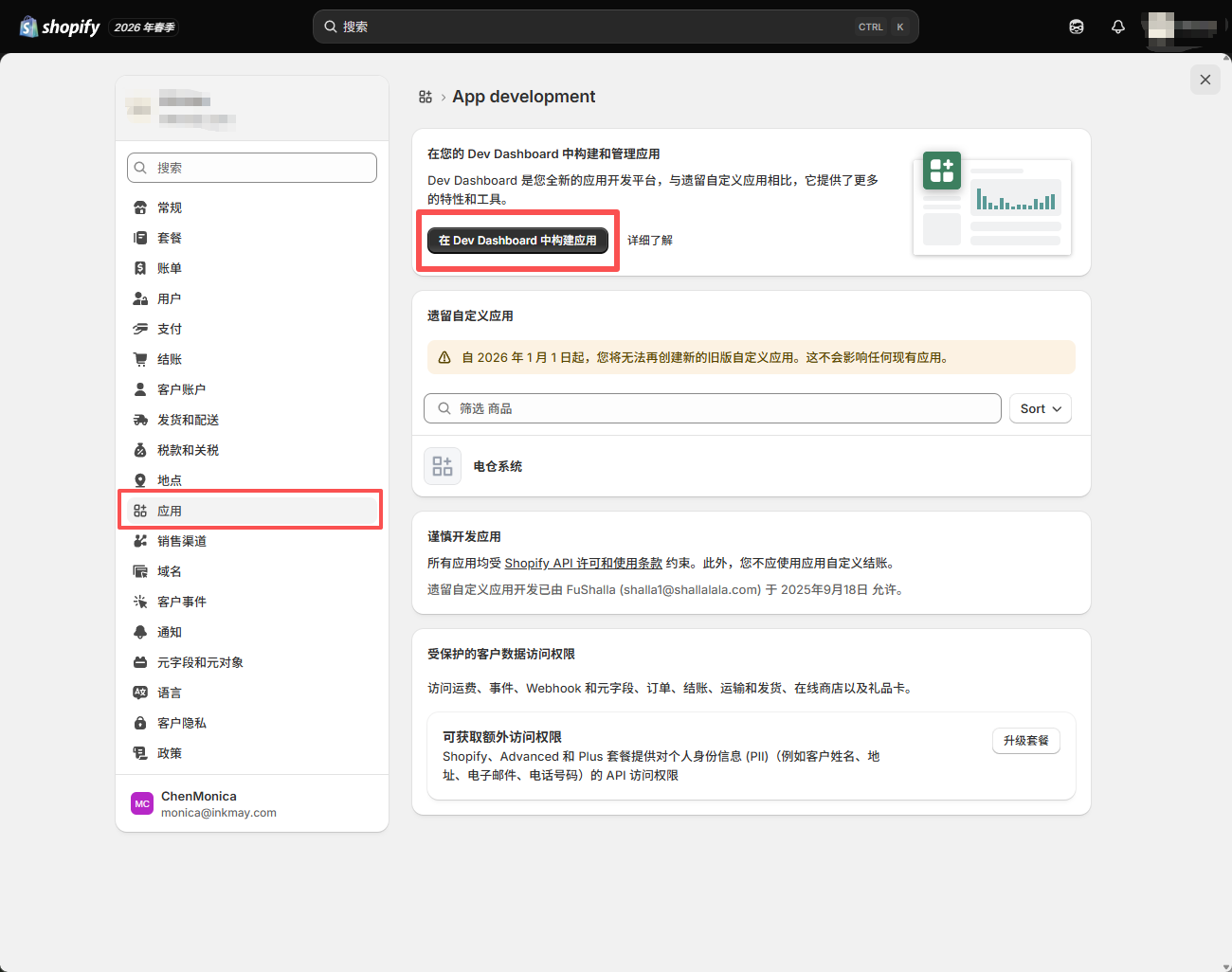
进入 Shopify 卖家后台,在左侧导航菜单中选择 应用,然后点击 在 Dev Dashboard 中构建应用。
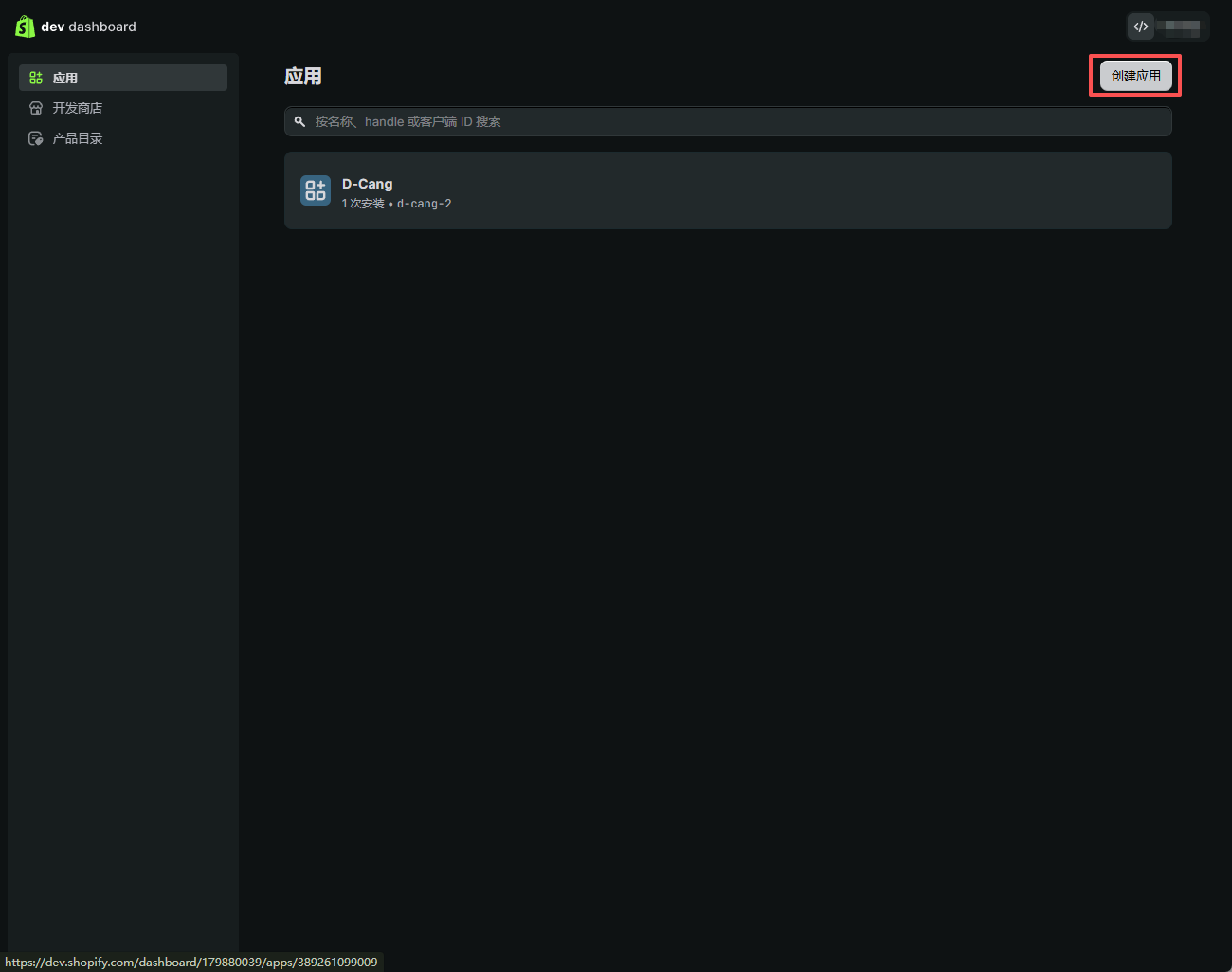
点击 创建应用。
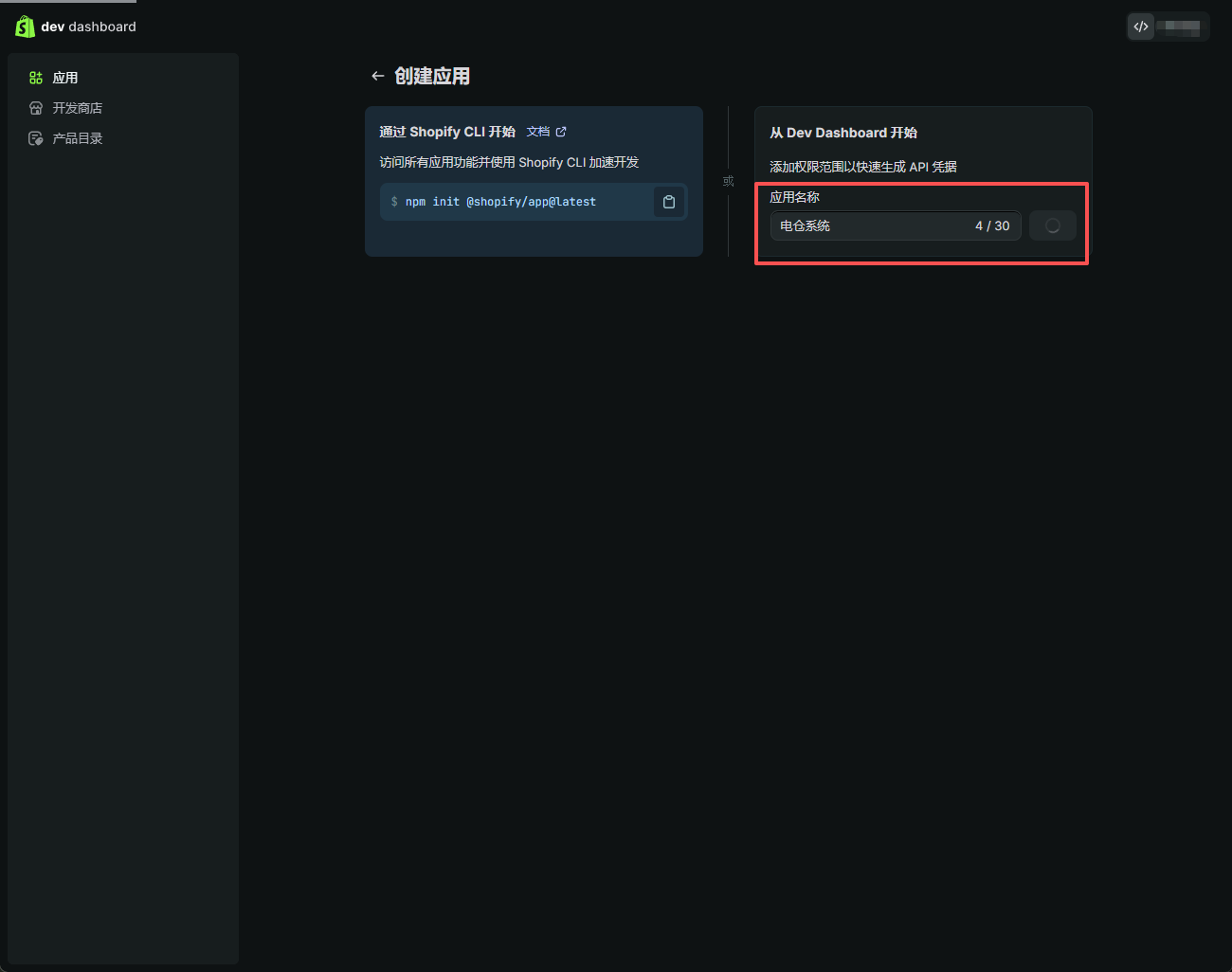
设置应用名称,例如:电仓系统。应用名称可以自定义,建议使用便于识别的名称。
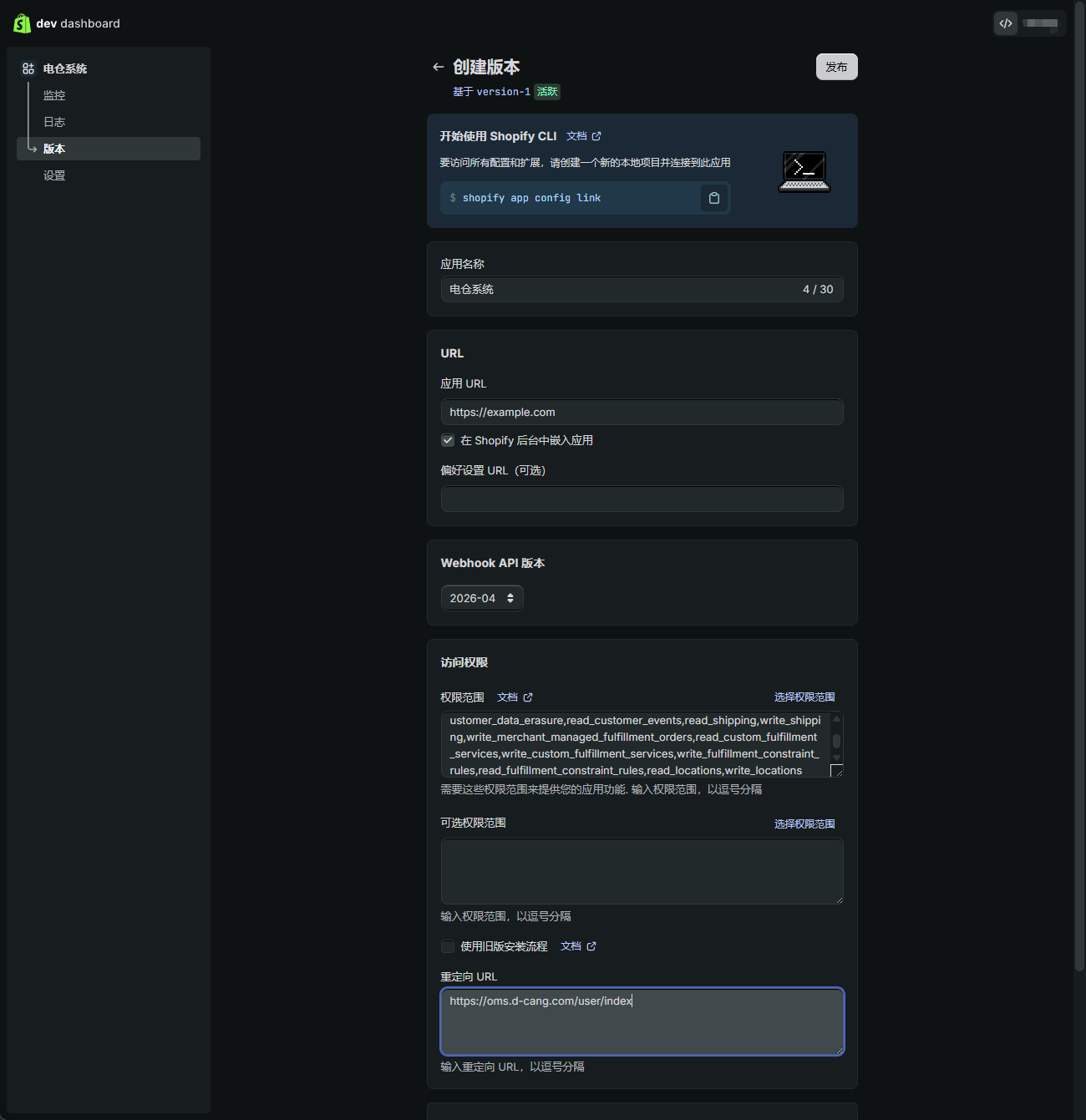
四、设置应用 URL 和重定向 URL
在 Shopify 应用配置页面中填写以下地址:
- 应用 URL:
https://www.d-cang.com - 重定向 URL:
https://oms.d-cang.com/user/index
五、设置 Shopify 应用权限范围
在应用权限配置中,设置以下权限范围。电仓系统需要通过这些权限读取订单、客户、履约、物流、发货服务和仓库位置信息,并将履约结果写回 Shopify。
read_merchant_managed_fulfillment_orders,
write_third_party_fulfillment_orders,
read_third_party_fulfillment_orders,
write_assigned_fulfillment_orders,
read_assigned_fulfillment_orders,
write_orders,
read_orders,
read_products,
write_fulfillments,
read_fulfillments,
read_customers,
write_customers,
write_customer_merge,
read_customer_merge,
write_customer_data_erasure,
read_customer_data_erasure,
read_customer_events,
read_shipping,
write_shipping,
write_merchant_managed_fulfillment_orders,
read_custom_fulfillment_services,
write_custom_fulfillment_services,
write_fulfillment_constraint_rules,
read_fulfillment_constraint_rules,
read_locations,
write_locations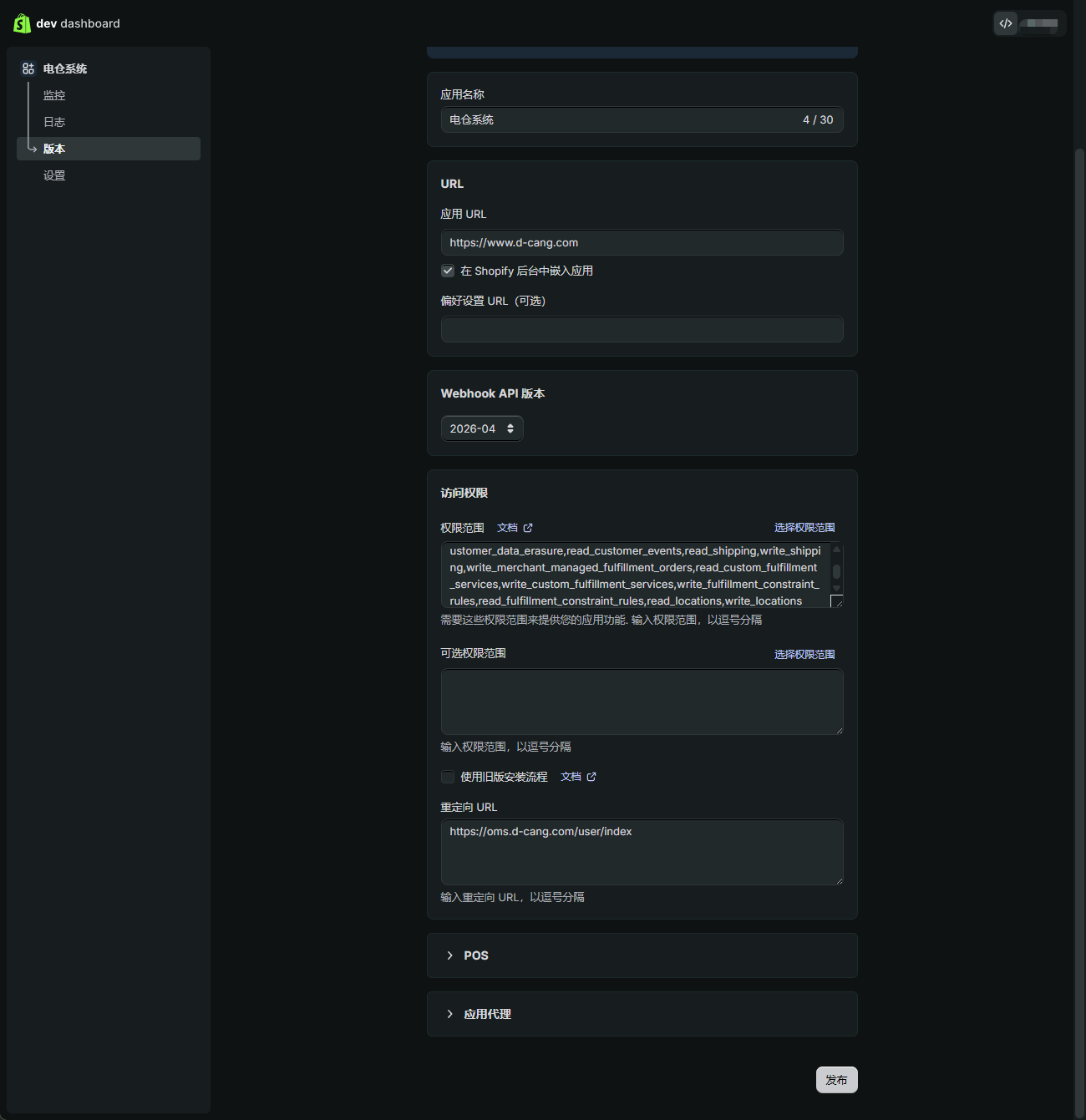
建议复制以上权限并逐项核对,避免遗漏订单同步或履约回传所需权限。
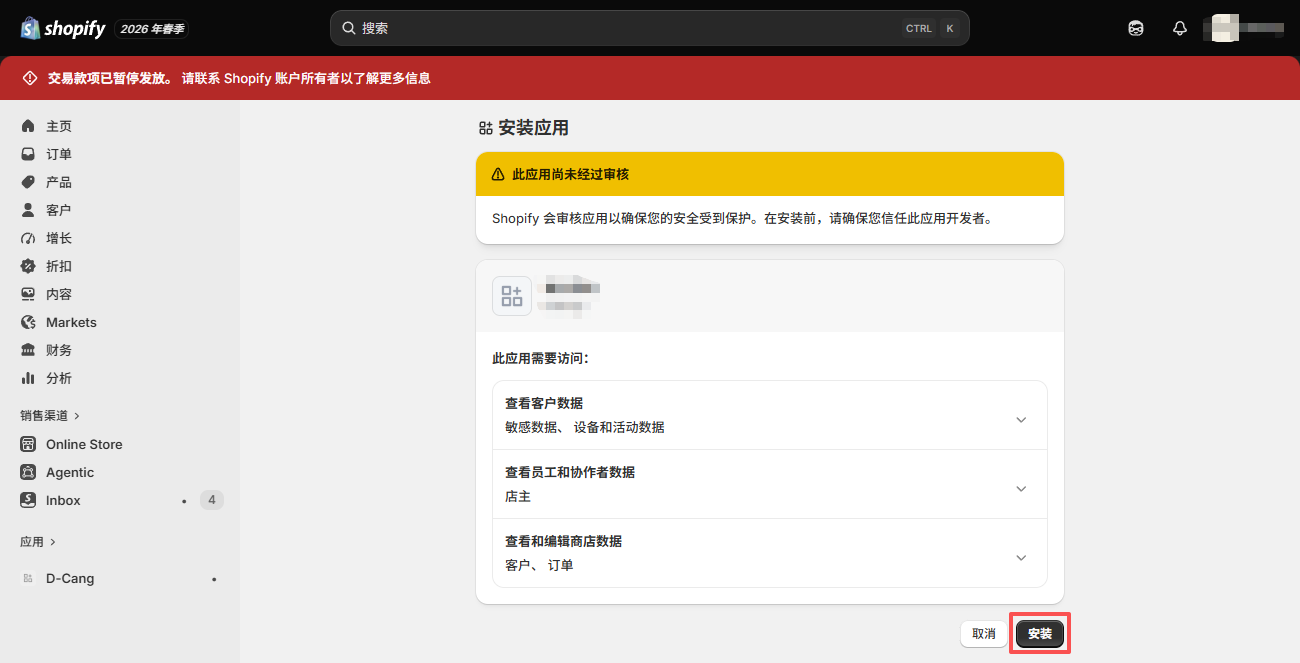
六、发布并安装 Shopify 应用
权限配置完成后,点击 发布应用。
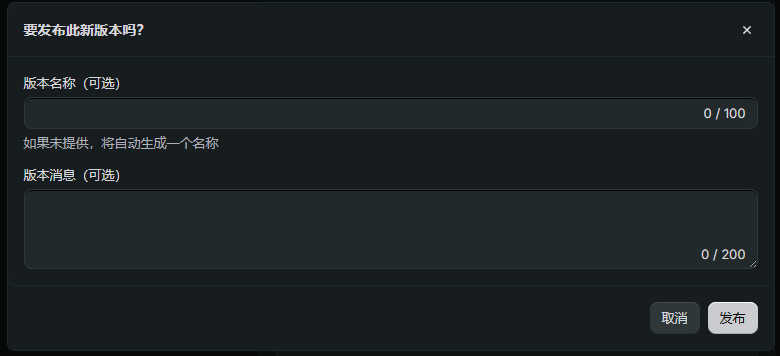
发布完成后,点击 安装应用。
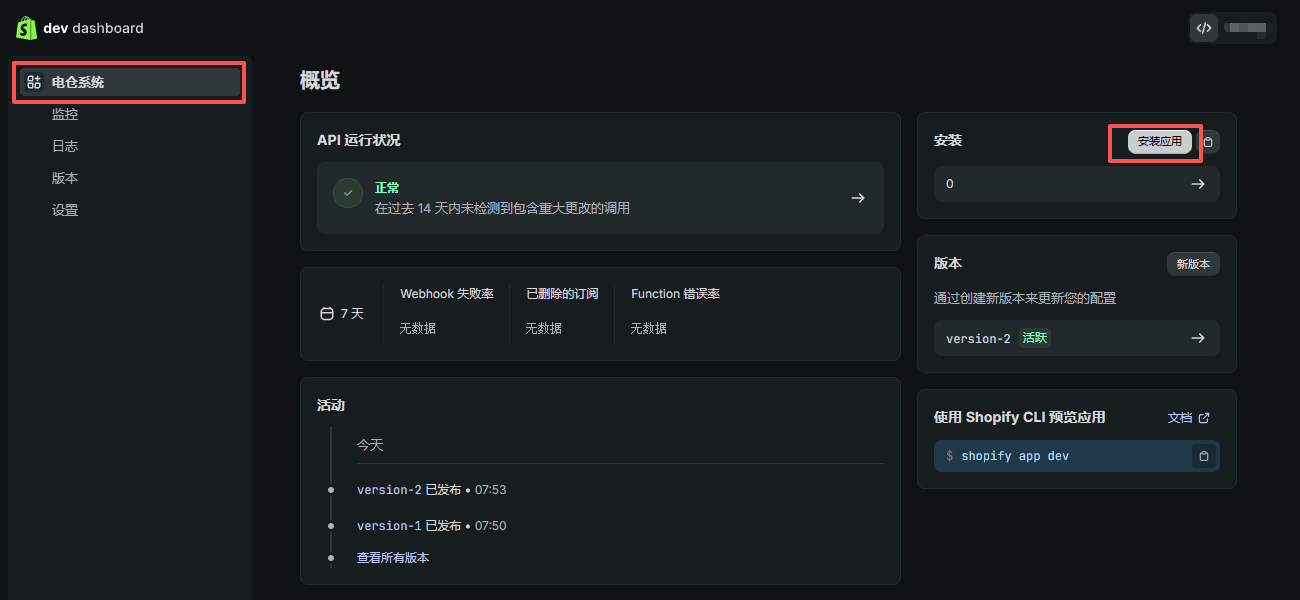
选择需要对接电仓系统的 Shopify 店铺。
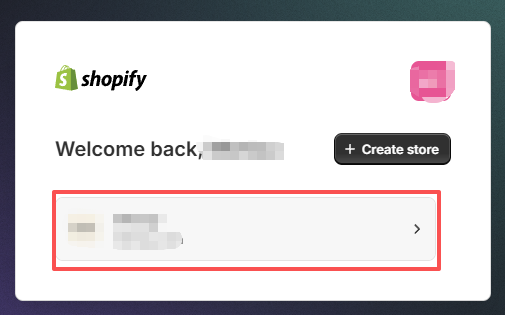
确认安装应用。
七、获取 Shopify 授权信息
应用安装完成后,进入授权信息页面,复制以下两个参数备用:
- 客户端 ID,即 Client ID
- 加密密钥,即 Secret
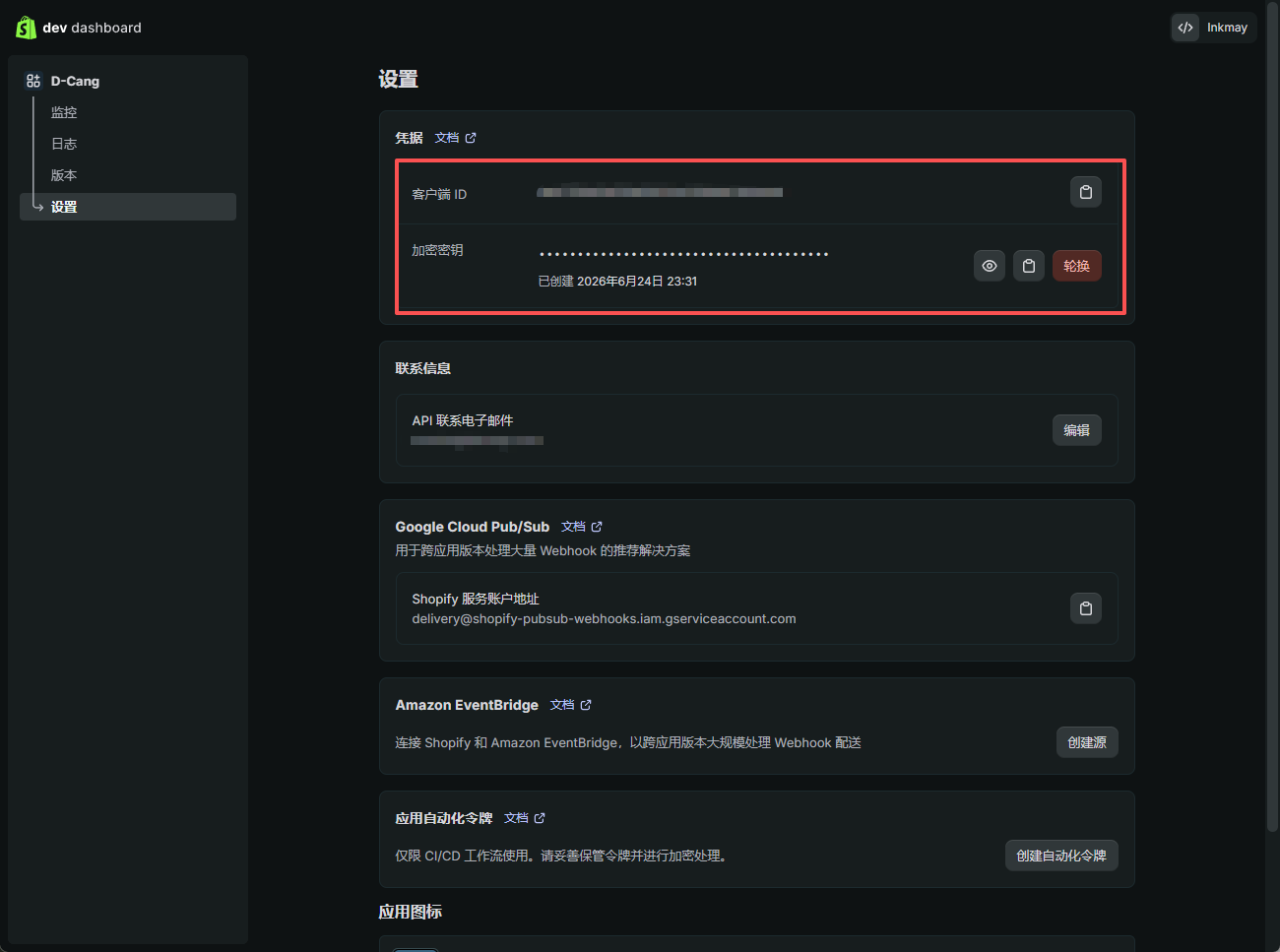
这两个参数后续需要填写到电仓系统中,用于完成 Shopify 店铺授权绑定。
八、在电仓系统 Web 端创建 Shopify 第三方应用
登录电仓系统 Web 端,进入第三方应用或平台授权相关页面,创建 Shopify 第三方应用。
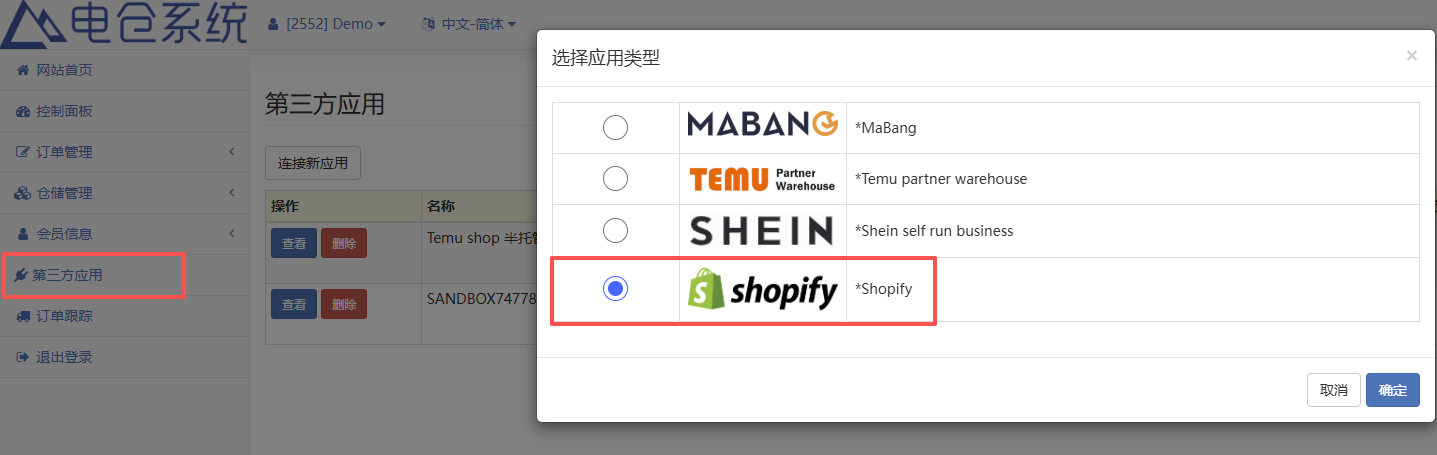
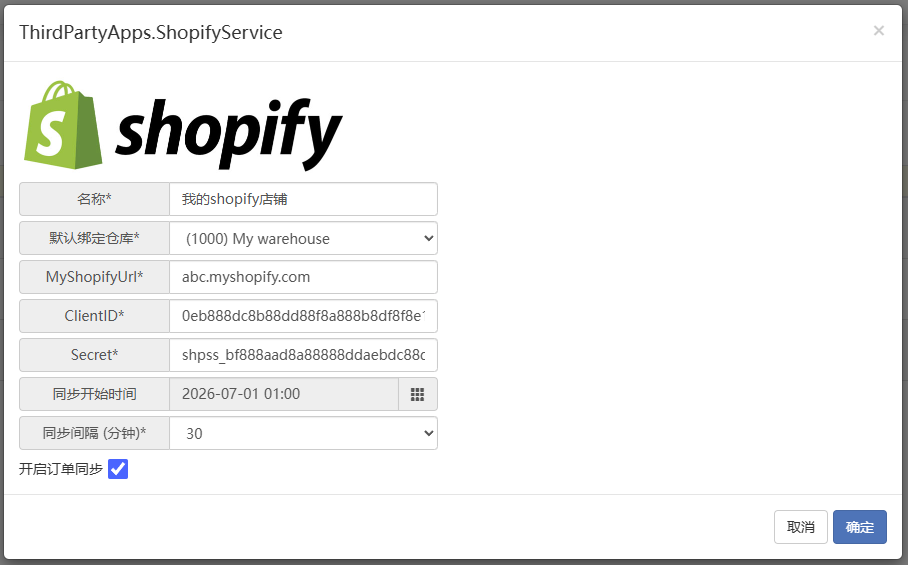
在配置页面中填写以下参数:
- 选择需要绑定的网点
- 填写 Shopify 网店域名
- 填写 Client ID,即 Shopify 客户端 ID
- 填写 Secret,即 Shopify 加密密钥
九、如何查看 Shopify 网店域名
Shopify 网店域名可以在 Shopify 卖家后台的 域名 菜单中查看。
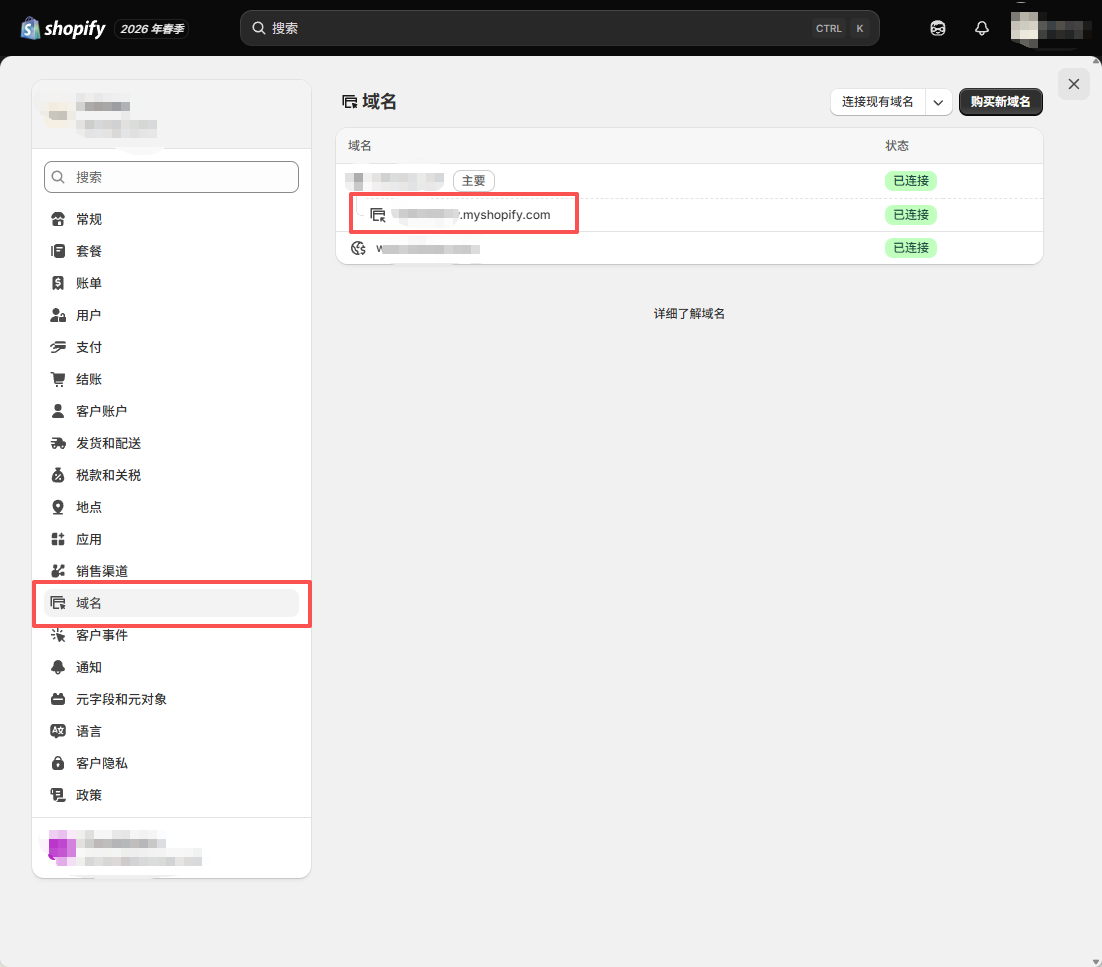
填写域名时,请以 Shopify 后台显示的店铺域名为准,避免填写错误导致授权失败或订单无法同步。
十、配置完成后的效果
完成以上配置后,Shopify 店铺即可与电仓系统建立连接。电仓系统可以根据已授权的权限进行订单同步、订单履约处理、客户信息读取、物流信息处理和履约结果回传。
配置完成后,建议进行一次测试订单同步,确认以下信息是否正常:
- Shopify 订单是否可以同步到电仓系统
- 订单客户信息和收货地址是否完整
- 电仓系统是否可以正常创建履约任务
- 发货完成后,物流单号是否可以回传到 Shopify
- Shopify 后台订单履约状态是否更新正常
常见问题
1. 为什么 Shopify 订单没有同步到电仓系统?
请先检查 Shopify 应用是否已经安装成功,并确认电仓系统中填写的店铺域名、Client ID 和 Secret 是否正确。同时需要核对 Shopify 应用权限是否完整,尤其是订单读取、履约读取和物流相关权限。
2. 为什么 Shopify 授权后无法跳转?
通常与重定向 URL 配置有关。请确认 Shopify 应用中填写的重定向 URL 为:
https://oms.d-cang.com/user/index3. 为什么履约信息不能回传到 Shopify?
请检查应用是否包含履约写入权限,例如
write_fulfillments、write_assigned_fulfillment_orders、write_third_party_fulfillment_orders等权限。同时确认电仓系统中的订单已经完成发货并生成物流单号。4. Client ID 和 Secret 填写在哪里?
在电仓系统 Web 端创建 Shopify 第三方应用时,需要填写 Client ID 和 Secret。Client ID 对应 Shopify 的客户端 ID,Secret 对应 Shopify 的加密密钥。
推荐贴文
-

使用组合库存
电仓系统基础操作指南 • • coostone